Feature
Scan the pack. Get the label’s numbers.
Open the camera, pick Barcode and point it at the code. Fond looks the product up in your own foods, then in a product table, then in Open Food Facts, and shows its protein, kcal and portion. You add it in one tap. If nobody knows the code, scan the nutrition label instead.
 Coming soon to theApp Store
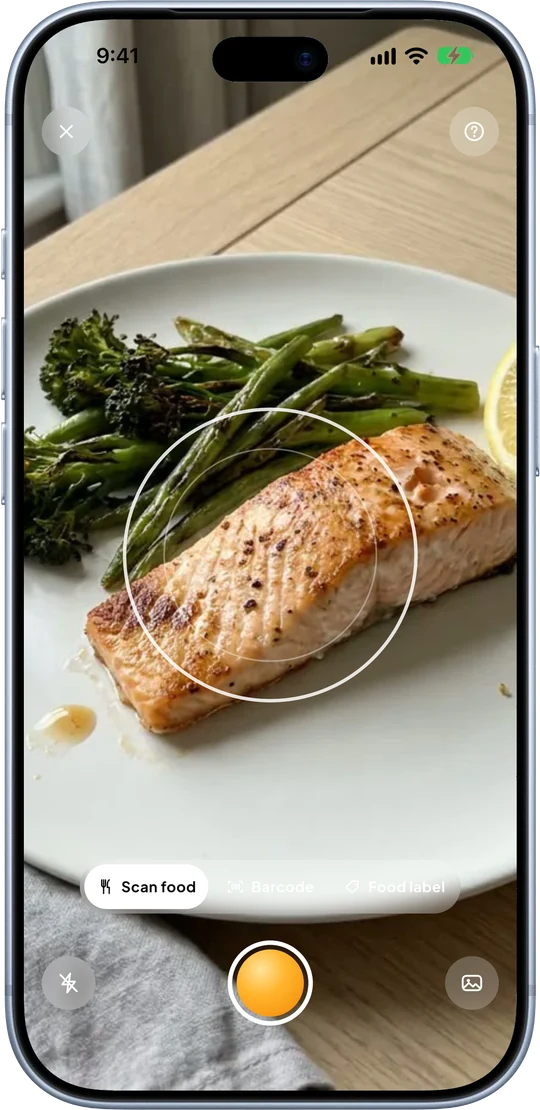
A packaged food already has its numbers printed on it. A meal can be snapped, said, or scanned from a barcode or a nutrition label. A barcode is the quickest way to get those numbers into your day without retyping a label.
How to scan a barcode
- Open the camera and pick Barcode.
- Hold the code inside the frame. When it is found, the product rises over the camera.
- Check where it came from. A found product says where its numbers come from: one of your foods, the product table or Open Food Facts.
- Say how much. The product sheet asks how much you had, the whole pack included, and adds it to your meal in one tap.
- Tap Add. The button names the meal it goes to, so you can see where it lands before you tap.
Where the numbers come from
A scanned barcode is looked up in your own foods first, then in Open Food Facts; when nobody knows it, the label camera is next. Your own foods come first because you may have corrected one before; a product you saved with your own numbers is found there first.
When Open Food Facts has a photo of the front of the pack, the product shows it. Open Food Facts is a shared, volunteer-built database: its data is published under the Open Database License and its product photos under CC BY-SA, so Fond names it next to every product that comes from it.
When the barcode isn’t known
Small brands, new products and imports are sometimes missing. Then the nutrition label is the next best source.
- In the camera, switch to Food label.
- Photograph the nutrition table flat and in focus.
- A nutrition label is read as printed, in Hebrew or English, and a value that isn’t printed is never guessed.
- Check the serving size and add it.
| Situation | Use |
|---|---|
| A pack with a barcode | Barcode |
| A barcode nobody knows | Food label |
| No pack at all (a deli, a bakery) | Food search or a photo |
| A protein powder for your shakes | Barcode, then use it in shakes |
Where Fond helps, and where it doesn’t
A barcode gives you the manufacturer’s numbers, which is usually closer than any photo estimate. But the numbers are only as good as the source: Open Food Facts is edited by volunteers and can have mistakes or an old recipe, so glance at the pack if something looks off, and fix the food once; your own foods are checked first next time. Fond can’t tell how much of the pack you ate, which is why it asks. Meal photos and words are read by OpenAI through Loopware’s relay, and AI reading can be turned off in Settings.
Questions and answers
Do barcode scans use my free AI uses?
No. Logging, barcode scans, food search, your plan and your progress are free. A barcode lookup needs no AI; reading a nutrition label is done by the AI.
What if the barcode isn’t found?
A scanned barcode is looked up in your own foods first, then in Open Food Facts; when nobody knows it, the label camera is next. A nutrition label is read as printed, in Hebrew or English, and a value that isn’t printed is never guessed.
Sources
What this page says about Fond was checked against the app on .
- Fond on the App Store
- Open Food Facts — Read 13 November 2026
- Open Food Facts terms of use (ODbL data, CC BY-SA images) — Read 13 November 2026
Get Fond
Logging, barcode scans, food search, your plan and your progress are free.
Coming soon to theApp Store