Feature
Your plate, without opening the app.
Add a Fond widget to your Home Screen and today’s plate is there at a glance, with Up next and a Log it button. While a meal photo is read, a Live Activity on the Lock Screen follows it from photo saved to ready to add. Discreet mode keeps medication names and numbers off the Lock Screen.
 Coming soon to theApp Store
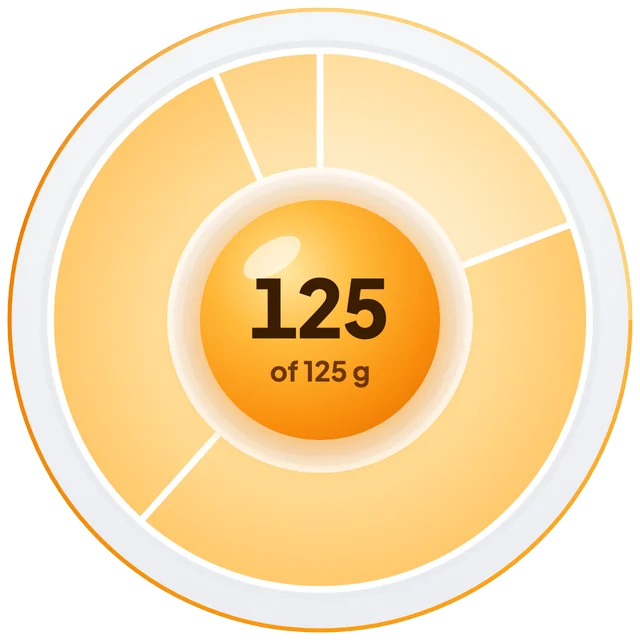
Fond has Home Screen widgets and Live Activities. They exist so you can see your day, and act on it, without opening the app.
Home Screen widgets
The widgets show Today’s own plate, and a meal logged from a widget lands in the app. The plate on the widget is the same one you see on Today: the slices are your meals and the yolk says the protein still to go.
- Touch and hold an empty part of the Home Screen and tap Edit, then Add Widget.
- Search for Fond and pick a size.
- Place it, and it fills in as you log.
Live Activities while a meal is read
Reading a photo takes a few seconds, and you may already have put the phone down. While a meal photo is read, its Live Activity shows the real stage, from photo saved to ready to add. There is no made-up progress bar: each step is the real one.
| Stage | What you see |
|---|---|
| Saving | The photo is being saved |
| Reading | Photo saved, reading now |
| Ready | Ready to add to your meal |
| Added | Added, with the protein |
With a quick log, the meal is added by itself and the Undo is right there on the Lock Screen.
Discreet on the Lock Screen
Your Lock Screen is visible to anyone next to you. Discreet mode starts on: notifications, widgets and Live Activities show no medication names or numbers. With it on, a finished read on the Lock Screen says only which meal it was added to. The switch is called Discreet on the Lock Screen.
| On the Lock Screen | With discreet mode on |
|---|---|
| A dose reminder | A dose reminder says only Weekly reminder or Daily reminder. |
| The evening protein check | The evening check says only that some protein is still to go and Up next has an idea. |
| A finished meal read | The meal it was added to, without numbers |
Widgets, Live Activities or quick log?
| You want to | Use |
|---|---|
| See how much protein is left without opening the app | A Home Screen widget |
| Log Up next’s suggestion from the Home Screen | A Home Screen widget |
| Snap a meal with one press | Quick log on the Action button, Control Center or Lock Screen |
| Know when a meal photo has been read | The Live Activity |
Where Fond helps, and where it doesn’t
Widgets keep the one number that matters, the protein still to go, a glance away, and Live Activities let you snap a meal and move on. They show what you’ve logged and nothing more; a widget can’t read a photo by itself. Widgets refresh on Apple’s schedule, so after a log the Home Screen may lag behind the app by a moment.
Questions and answers
Will a widget show my medication?
Discreet mode starts on: notifications, widgets and Live Activities show no medication names or numbers. The switch is called Discreet on the Lock Screen.
Can I log from a widget?
The widgets show Today’s own plate, and a meal logged from a widget lands in the app.
How do I add a widget?
Touch and hold an empty part of the Home Screen, tap Edit, then Add Widget, and search for Fond. Pick a size and tap Add Widget.
Sources
What this page says about Fond was checked against the app on .
Get Fond
Logging, barcode scans, food search, your plan and your progress are free.
Coming soon to theApp Store